Help Center · Getting started
Read your dashboard
See your last 30 days of bookings and revenue, the week ahead, today's sessions, anything that needs you, and what is left to set up.
All help articlesChecked against Slate on
On this page
Before you start
- You are signed in to Slate.
Steps
In the menu on the left, click Dashboard, at the very top. It opens on the Overview tab.
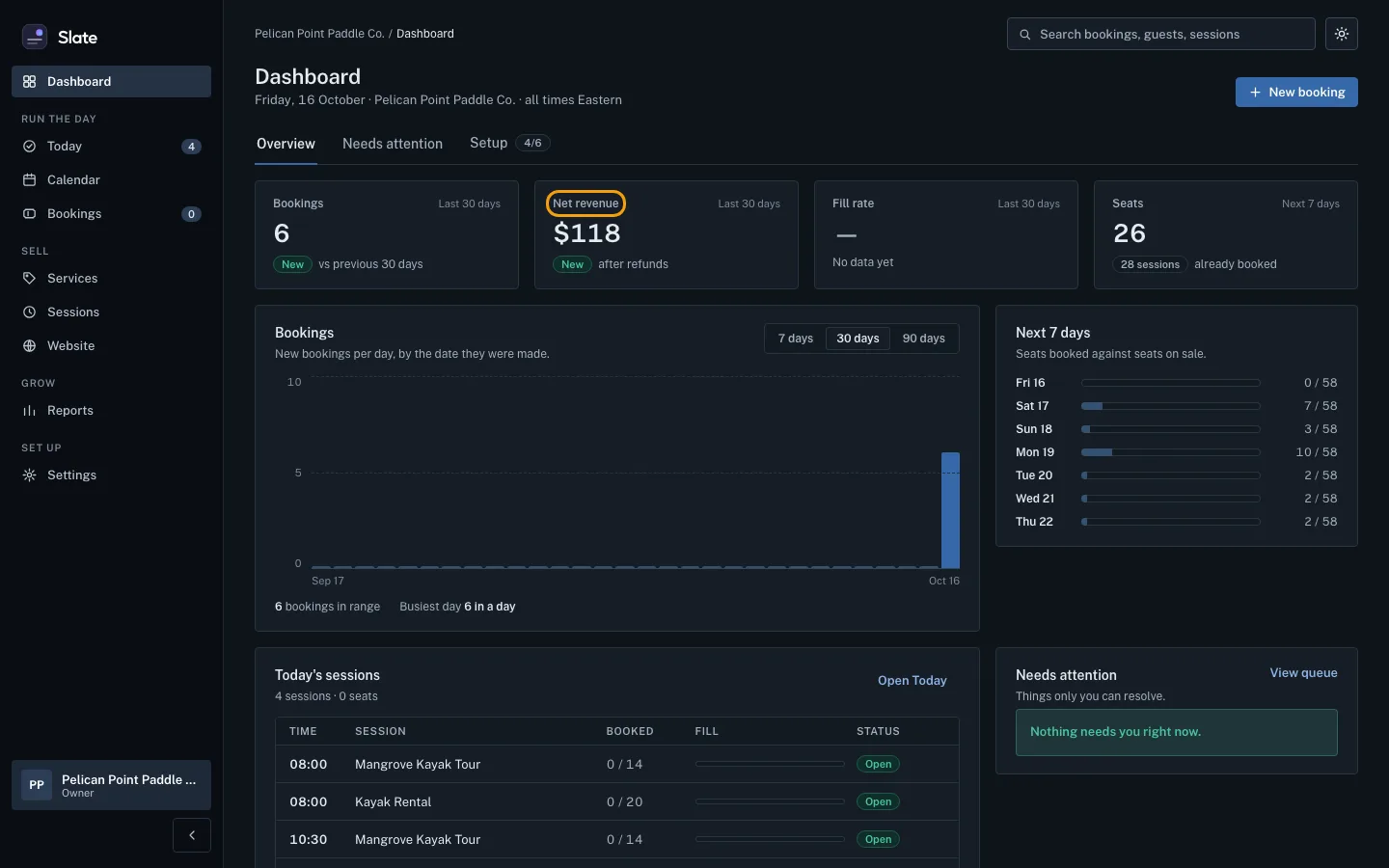
Read the four tiles across the top. Bookings counts bookings made in the last 30 days. Net revenue is what you took in the last 30 days, after refunds. Fill rate is the share of seats you sold out of the seats you offered. Seats counts seats already booked for the next 7 days. A dash means there is no data yet.
Under the tiles, the Bookings chart shows new bookings per day, by the day they were made. Switch between 7 days, 30 days and 90 days at its top right. Next 7 days shows, day by day, seats booked against seats on sale.
Scroll down to Today's sessions for everything running today. Click Open Today to check guests in.
Check Needs attention at the bottom right. It lists payment, booking and website problems only you can resolve. Click View queue, or the Needs attention tab, to see them all.
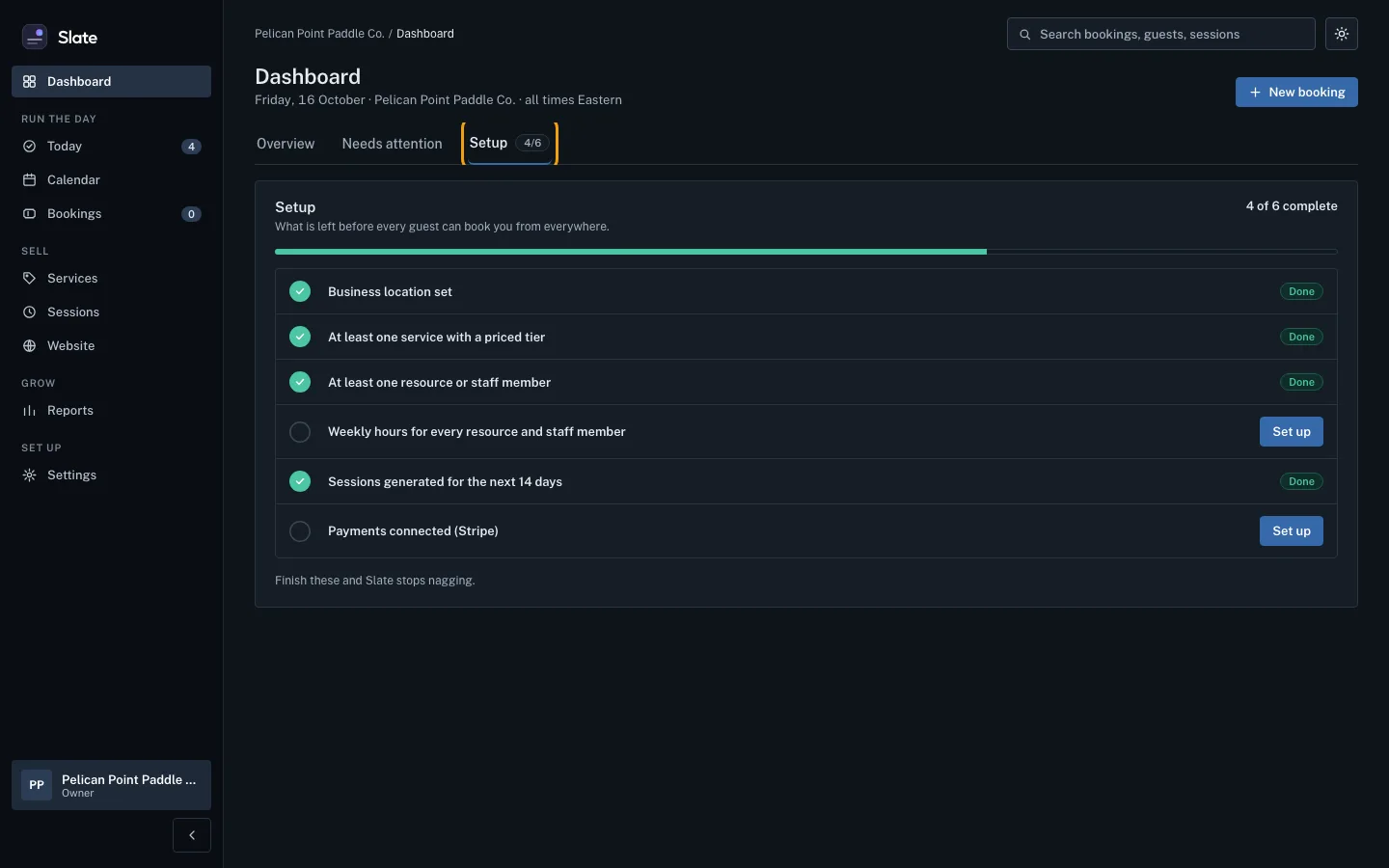
Click the Setup tab to see what is left before guests can book you from everywhere. Each unfinished item has a Set up button that takes you to the right page.


Tips
- The numbers on the dashboard use your business's time zone, shown under the title.
- New booking opens your bookings list. Bookings come from your booking page, a private booking link or a walk-up, not from a form here.
- When every Setup item is done, the tab shows a full count, like 6/6.
Related
- Run your day from Today: check guests in: See every session running today, open the next one's guest list, check parties in as they arrive, and find any guest fast.
- Find a booking: Search your bookings by reference, guest name, email or phone, narrow them by date or status, and open the one you need.
- Read your reports and export them: See your revenue, seats sold, no-shows and customers for any range of dates, then download a report as a CSV file for a spreadsheet.
- Take the console tour and find your way around: Walk through the nine steps of the Slate console tour in two minutes, replay it any time, and jump to any page from the keyboard.
Still stuck?
Tell us what you were trying to do and what you saw. A person reads every message.
Contact support