Help Center · Getting started
Change your business name or time zone
Rename your business, set the time zone every time in Slate uses, and copy your booking page link.
All help articlesChecked against Slate on
On this page
Before you start
- You are an owner or admin. Staff can see this page, but the fields are greyed out.
Steps
In the menu on the left, under Set up, click Settings. Click Business, then the Profile tab.
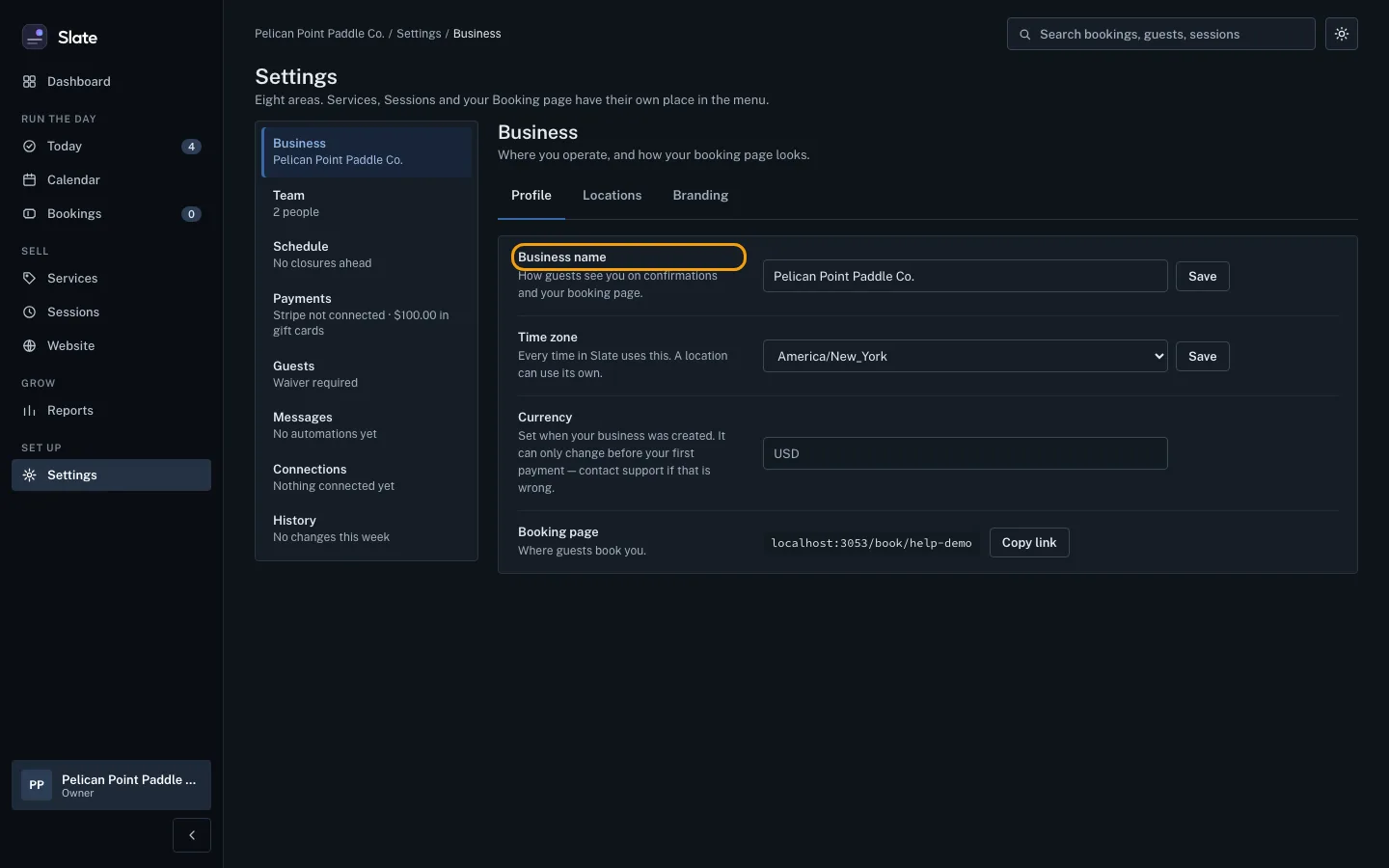
To rename your business, type the new name in Business name and click Save next to it. This is the name guests see on confirmations and on your booking page. Slate shows Business name saved.
To change your time zone, choose it under Time zone and click Save next to it. Every time in Slate uses this zone, unless a location has its own.
To share your booking page, click Copy link next to Booking page, then paste the link wherever you need it.

Tips
- A business name must be at least 2 characters, and must be a name, not a web or email address.
- Your currency is set when your business is created. It can only change before your first payment: contact support if it is wrong.
- Your booking page address cannot be changed on this page.
Related
- Add and edit locations: Add each place you run from, with its address and time zone, and keep the details up to date.
- Add your logo and colors: Put your logo, a banner, your colors and fonts on your booking page, booking widget and the emails your guests get.
- Share your booking page: link, QR code and FAQ: Copy your booking page address, show its QR code, and add the questions and answers guests see before they book.
Still stuck?
Tell us what you were trying to do and what you saw. A person reads every message.
Contact support