Help Center · Bookings & guests
Check guests in, one by one or all at once
Mark a party as arrived from Today or from the booking, check in a whole departure in one click, or check in each named person.
All help articlesChecked against Slate on
On this page
Before you start
- You are signed in to Slate. Owners, admins and staff can all check guests in.
Steps
To check in a whole departure at once, open Today (under Run the day in the menu), click the session in the Timeline, then click Check in all at the top of its card. It changes to All checked in, and every row reads Checked in.
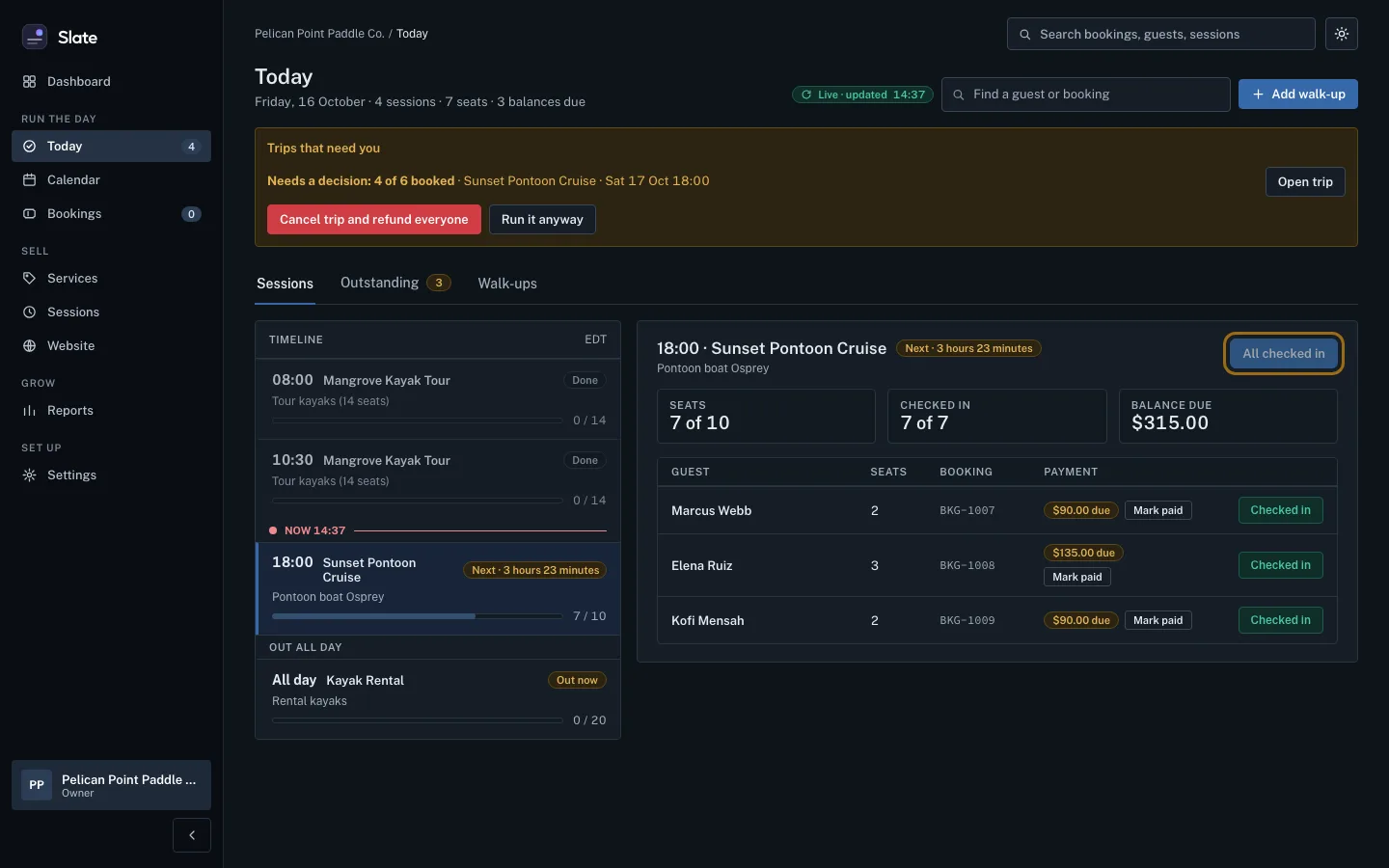
To check in one party, click Check in on their row on Today instead.
To check in from the booking itself, click the guest's name on Today (or open the booking from Bookings), then click the Seats tab.
Click Check in at the top right of the Seats tab. This checks in the whole booking, the same as the button on Today.
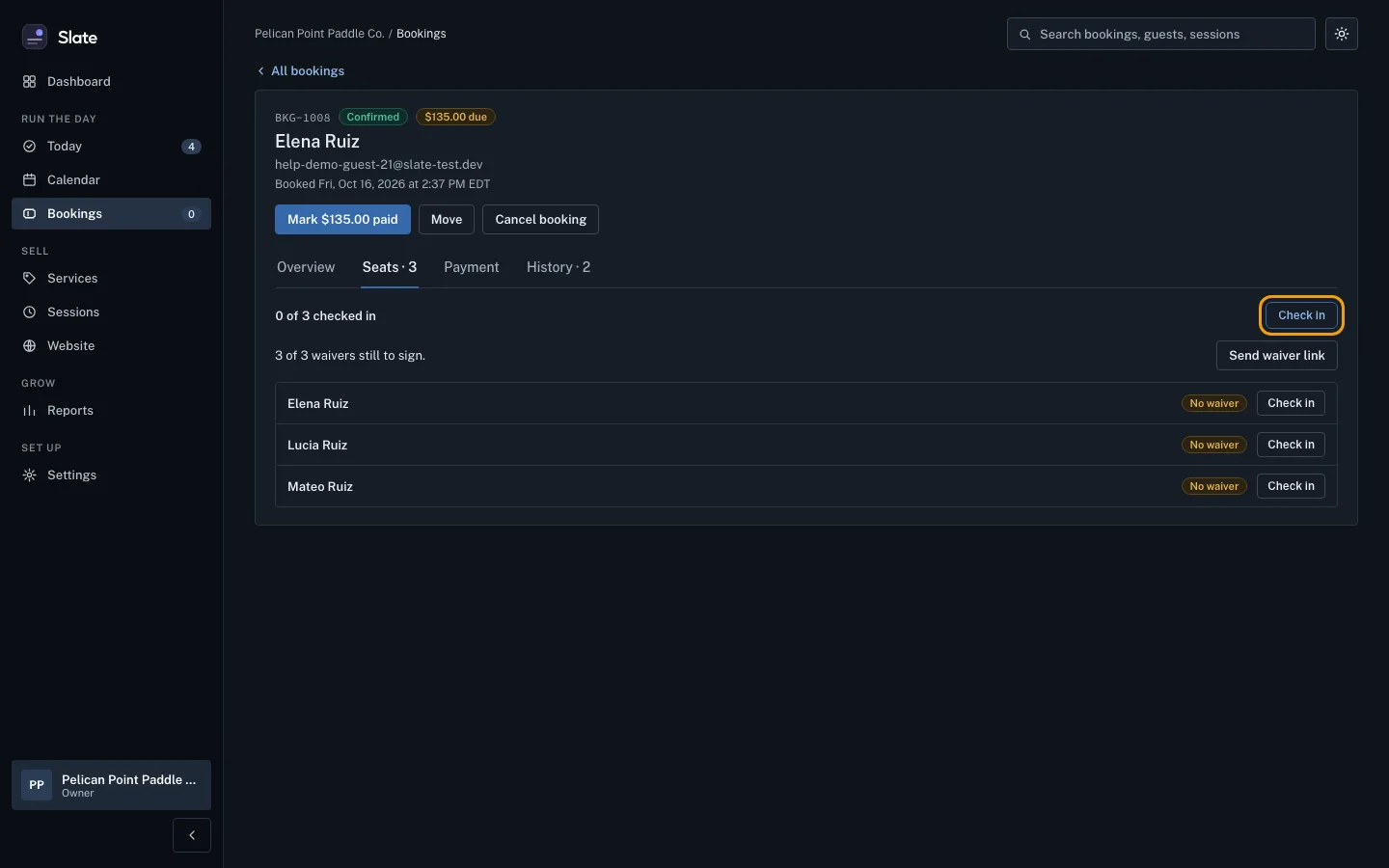
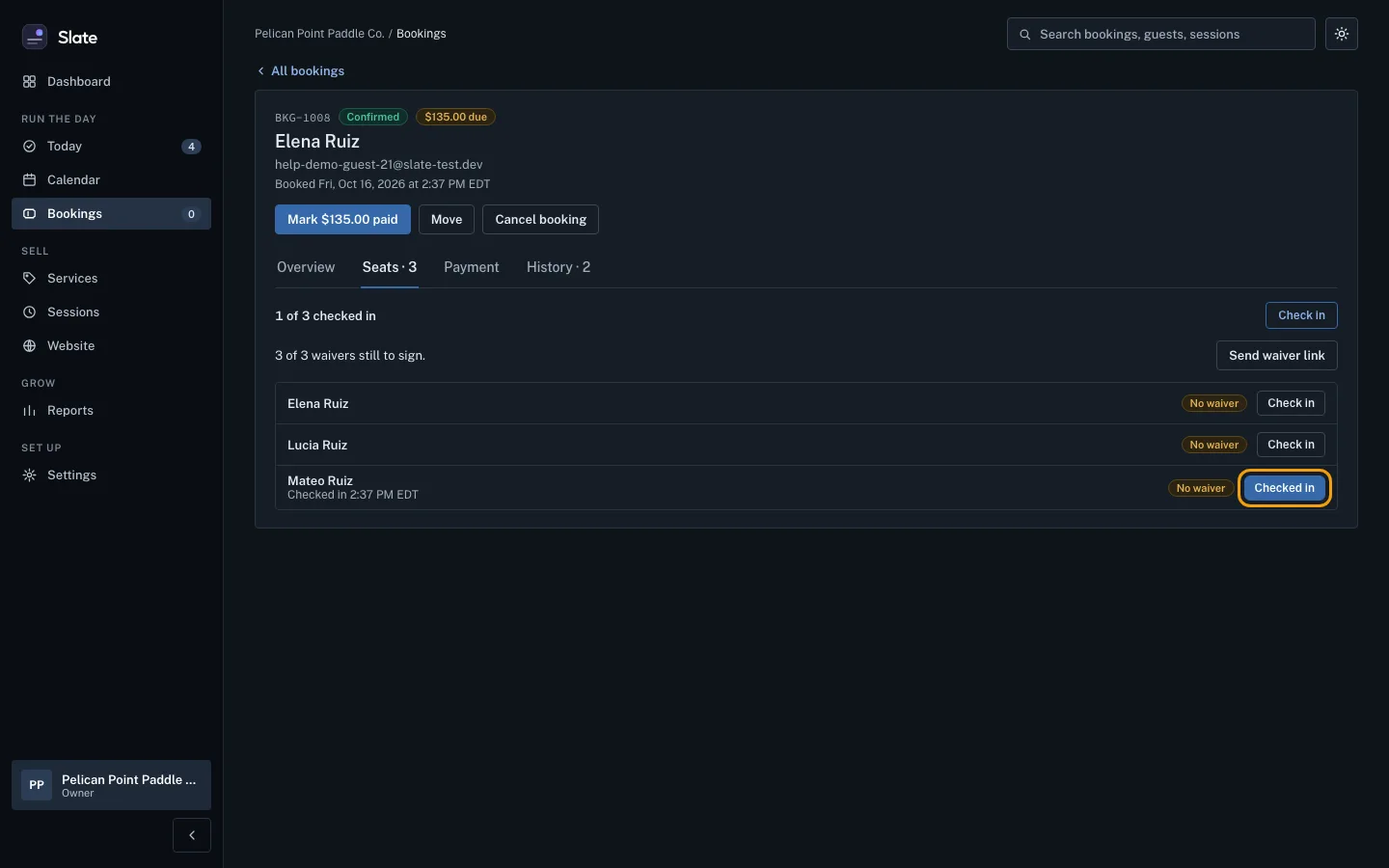
If the guest named the people in their party, each person has a row with their own Check in button. Click it as each person arrives. The row shows the time they checked in, and the count at the top goes up.
Tips
- Checked someone in by mistake? Click Checked in again to undo it.
- Checking in a person and checking in the booking are separate: checking in every person does not mark the booking itself as checked in.
- Guests name their party when they fill in their booking's waivers. If nobody did, the Seats tab says No individual attendees recorded for this booking.
- A cancelled, refunded or no-show booking can't be checked in: the Seats tab says Check-in is closed for this booking.
- A booking still being held for online payment can't be checked in until it is paid.
- On a booking for a session that runs today, the Overview tab has a Check in on Today link.
Related
- Run your day from Today: check guests in: See every session running today, open the next one's guest list, check parties in as they arrive, and find any guest fast.
- Read a booking: guests, payment and history: Open a booking to see who booked, when they are coming, what they bought, what they have paid and everything that has happened to it.
- Use the calendar and a session's manifest: See your sessions by day, week or month, open any session to see who is booked, and open its full manifest.
Still stuck?
Tell us what you were trying to do and what you saw. A person reads every message.
Contact support