See it work
What your guests see, and what you see.
Below is a real Slate booking page, running live. Click through it the way a guest would. Then follow the console you set up and run the day from.
What your guests see
This is the booking page your guests use.
Halyard Bay Charters is a made-up business Slate runs as a demo. The page is the real one: pick a date, a trip and a time, and go as far as you like.
What you see
Set it up, then run the day from the console.
The screens below are captured from Slate itself. The business in them is a made-up one too.
Tell Slate what you run.
Fill in what you can on Business Information. Fill in the gaps, the chat beside it, asks about the rest: type your answer, or tap Speak and talk. You pick your booking address on the same screen.
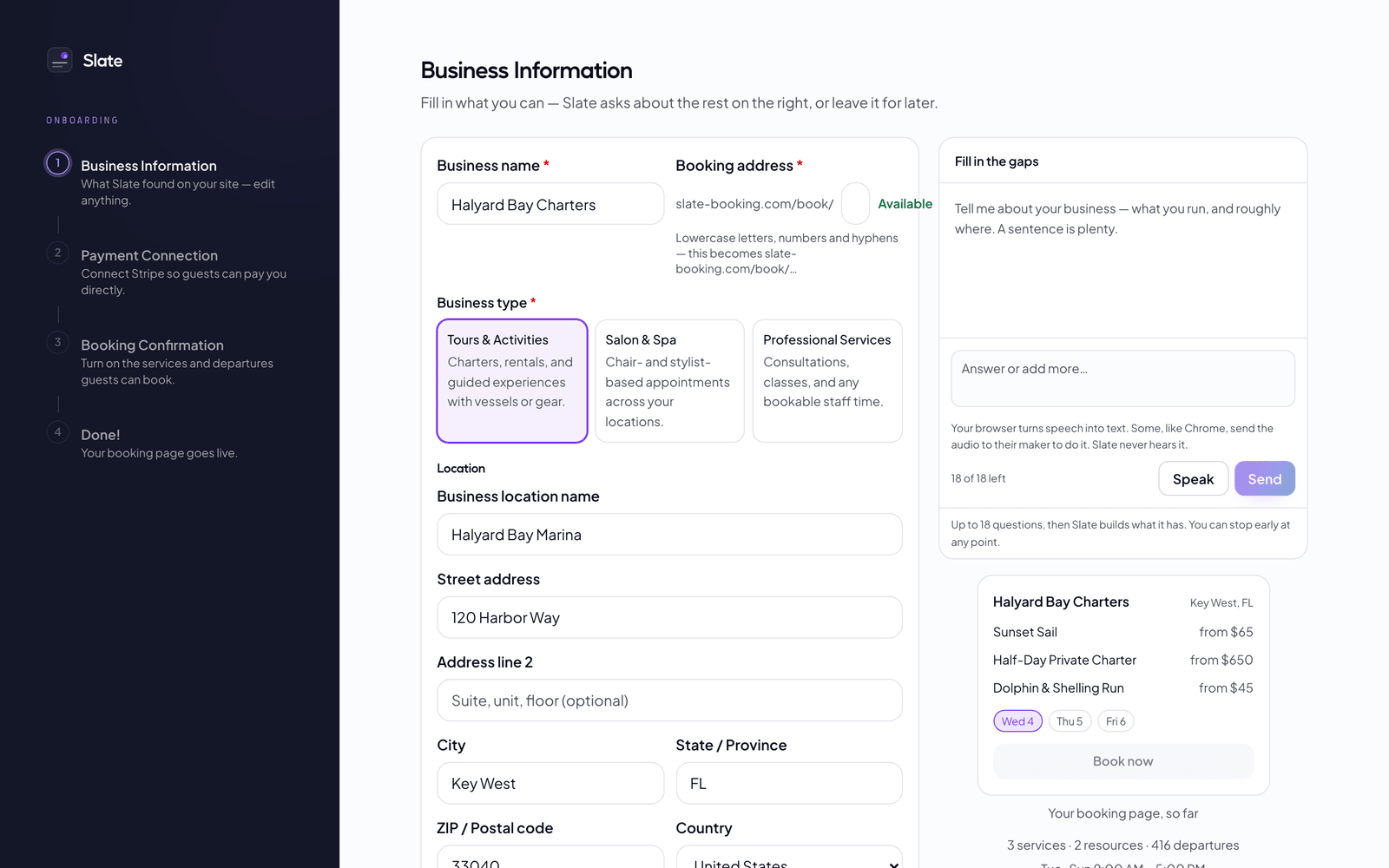
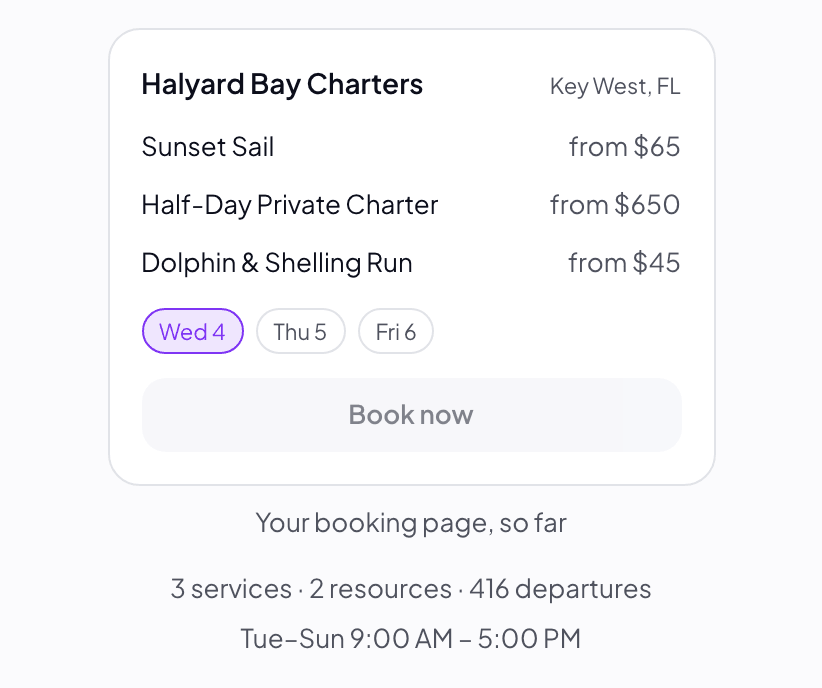
Watch your booking page build.
Your booking page, so far sits beside the form and fills in as you answer, so you see what your guests will see before anything goes live.
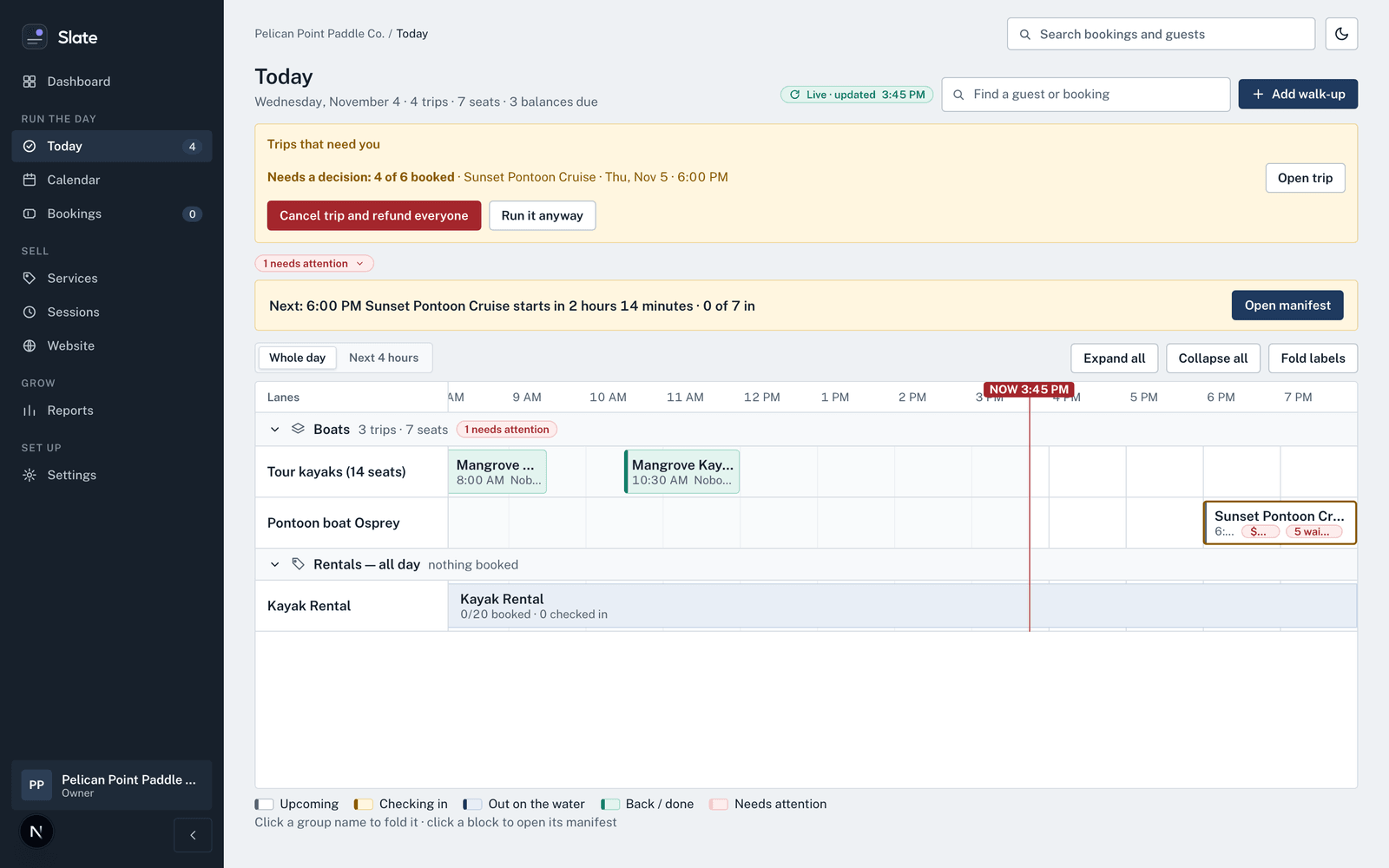
Run today from one screen.
Today lays every trip on a timeline, one lane per boat or rental, with a line for now. The next departure and how many are checked in sit on top, with Add walk-up and Open manifest one click away. A trip still short of its minimum waits under Trips that need you, with Run it anyway beside it.
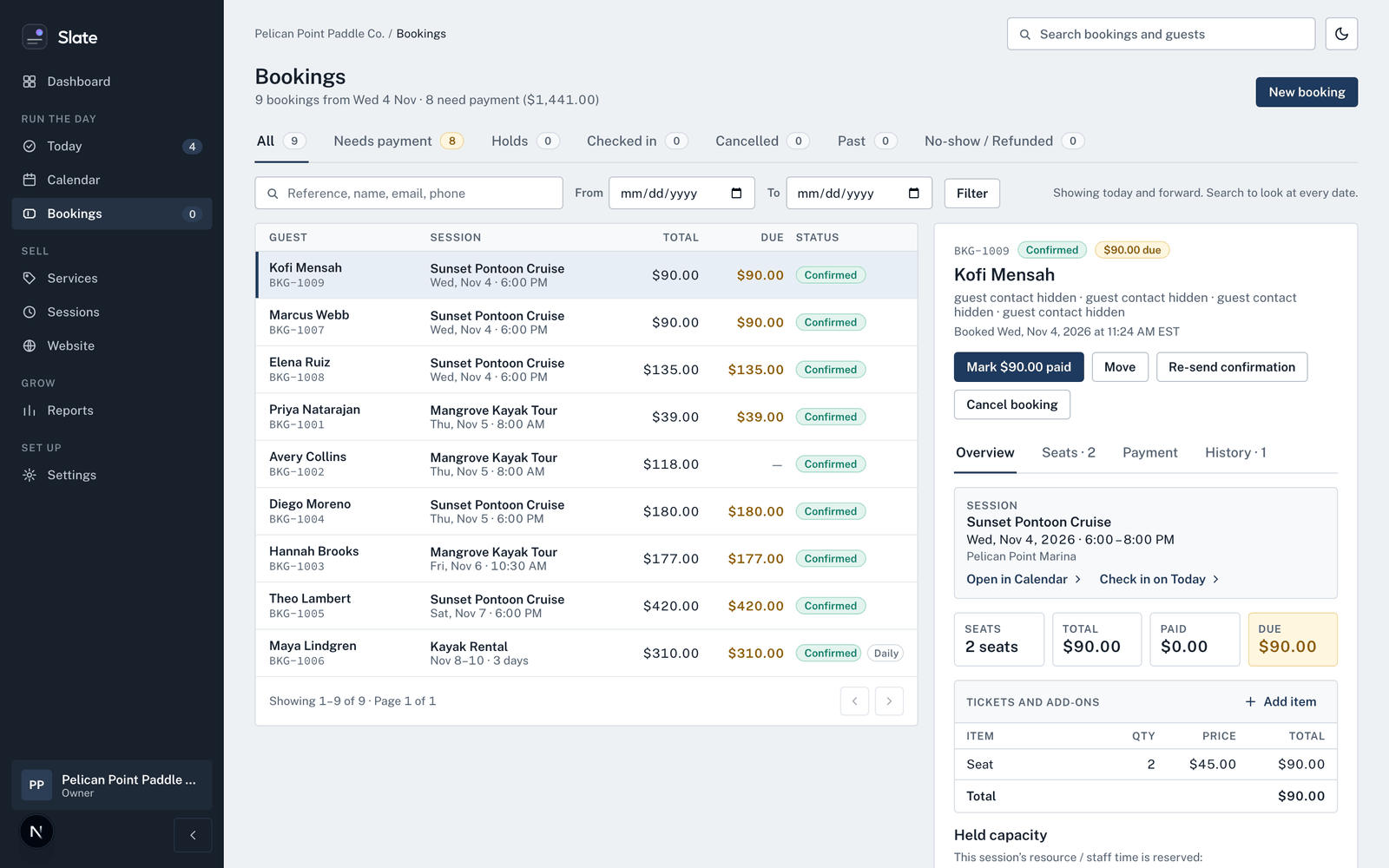
Every booking, and what is still owed.
Bookings lists each booking with its total and what is due. Filter to Needs payment, Holds, Checked in or Cancelled. Open one to mark it paid, move it, re-send the confirmation or cancel it.
The week at a glance.
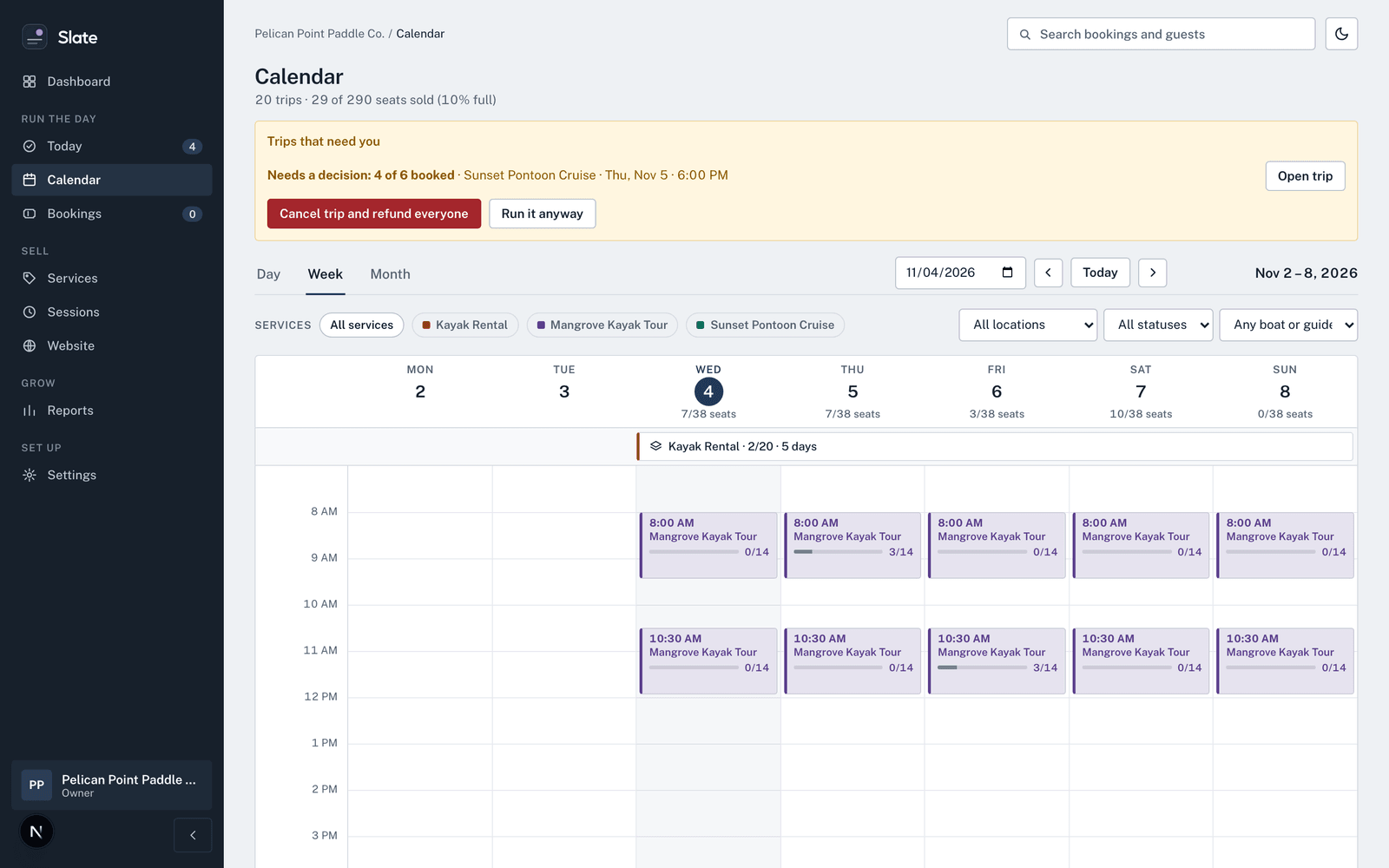
Calendar shows the day, week or month with seats sold on every trip. Narrow it by service, location, status, or boat and guide.



Want to see it on your own business?
We go through your services, boats or rooms, prices and hours with you, and bring your existing bookings across.